
Artificial intelligence is changing the way we create. One of the most exciting tools leading this transformation is Mubert, an AI-powered music generator. Whether you are a content creator, a developer, or simply someone who enjoys fresh background music, Mubert offers a simple way to generate royalty-free tracks instantly.
In this post, we’ll walk through how to use Mubert step by step, covering its app, web platform, and API.
What Is Mubert?
Mubert is an AI music generation platform that allows anyone to create unique, royalty-free music in seconds. Instead of spending hours searching for tracks or worrying about copyright, you can simply enter your preferences, and Mubert will produce a custom-made soundtrack.
The platform offers three main options:
1. Mubert Play (App) – for listening to endless AI-generated music streams.
2. Mubert Render (Web) – for creating downloadable, royalty-free tracks.
3. Mubert API – for developers who want to integrate AI music into apps or games.
How to Use Mubert Play (Mobile App)
If you’re looking for background music while studying, working, or relaxing, Mubert Play is the easiest way to start.
-
Download the app from iOS or Android.
-
Sign up with your email or Google/Apple account.
-
Choose a mood or activity, such as Chill, Focus, Sports, or Relax.
-
The app instantly generates a continuous music stream based on your selection.
-
You can skip, like, or save tracks to personalize your experience.
👉 Best for users who want non-stop AI music without worrying about playlists.
How to Use Mubert Render (Web)
For creators who need royalty-free tracks, Mubert Render is the most powerful option. Here’s how to use it:
1. Go to the Mubert Render page.
2. Log in or create a free account.
3. Choose your preferred method of generation:
-
-
Text-to-Music – enter a prompt like “lofi beats for studying”.
-
By Mood/Genre/Theme – select categories such as Epic, EDM, or Chillhop.
-
By Parameters – set the BPM, instruments, or duration.
-
4. Click Generate. Within seconds, Mubert will create your track.
5. Preview and Download your music. Free accounts come with basic licensing, while paid plans allow longer downloads and commercial usage.
👉 Best for YouTubers, podcasters, and content creators who need safe, royalty-free tracks.
How to Use Mubert API (For Developers)
Mubert also supports developers through its API. With the Mubert API, you can bring AI-generated sound directly into your own projects.
-
Sign up for the Mubert API.
-
Get your personal API key.
-
Integrate the system into your app, website, or game.
-
Generate music dynamically, whether it’s for background sound in games or custom tracks for users.
👉 Best for startups, app creators, or businesses looking to enhance products with adaptive music.
Example: Generating Music with Mubert
Let’s say you want to make background music for your cooking vlog. Here’s how simple it can be using Mubert Render:
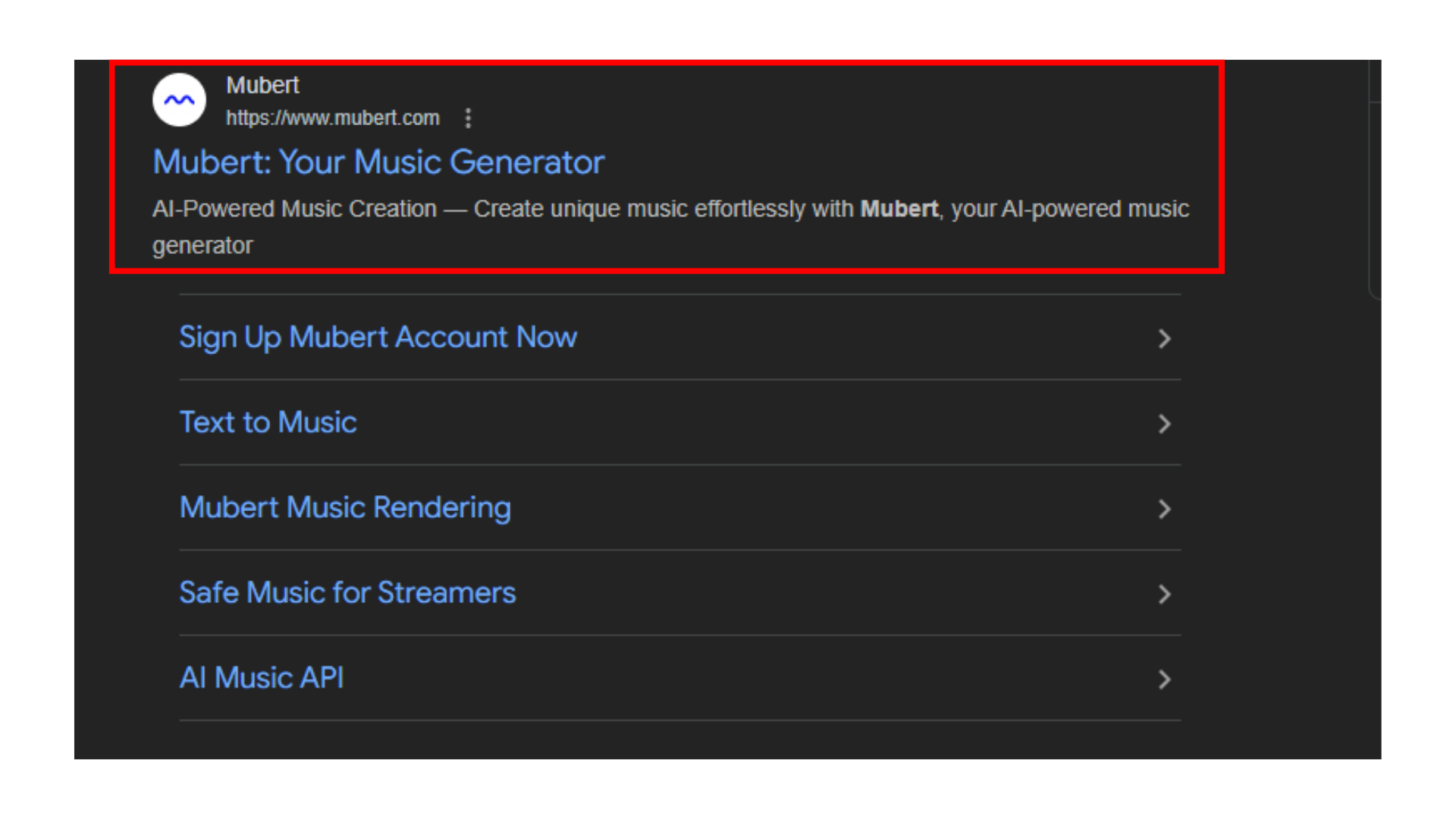
1. Go to Mubert Render.
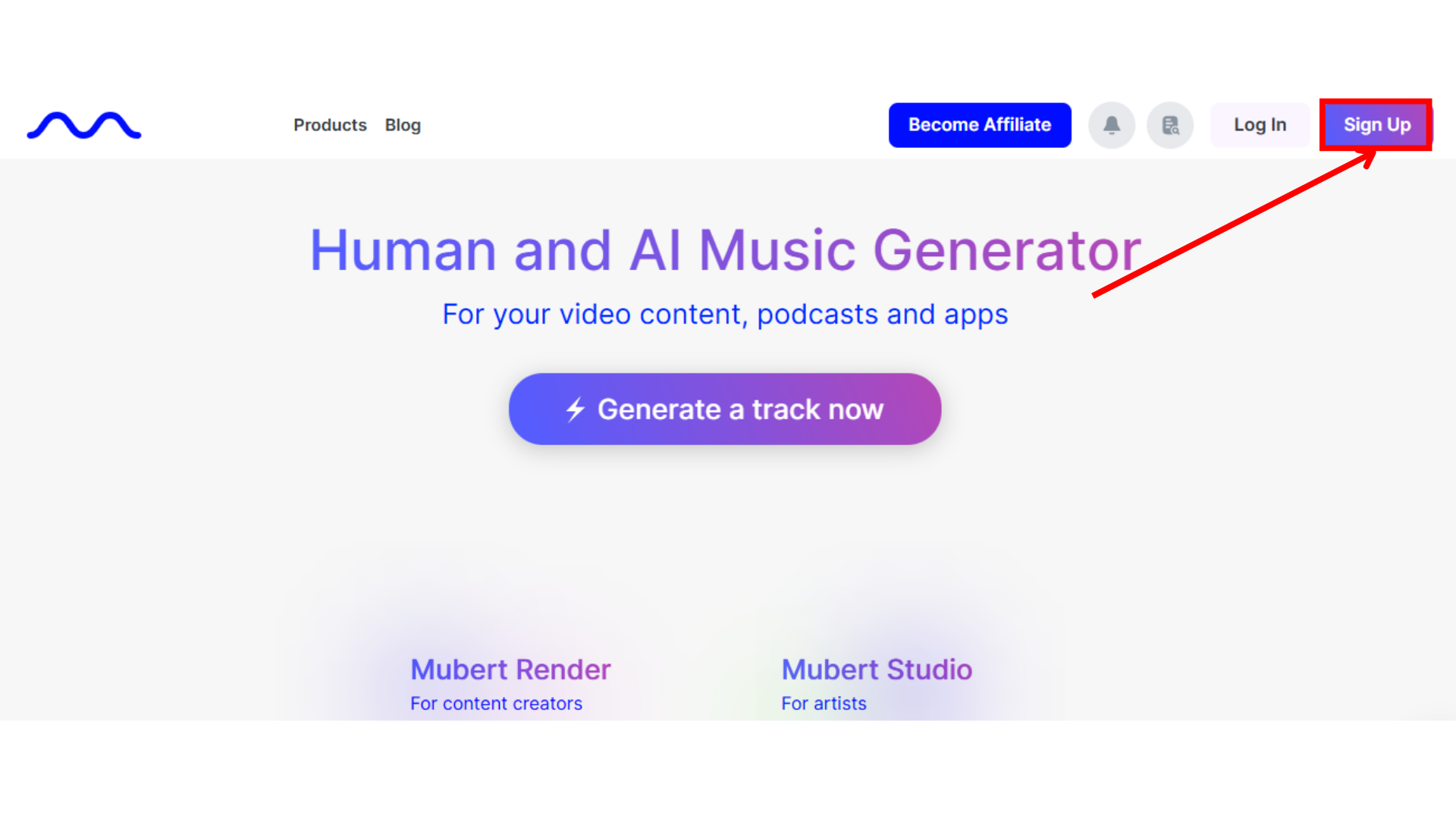
2. Click “Sign Up“
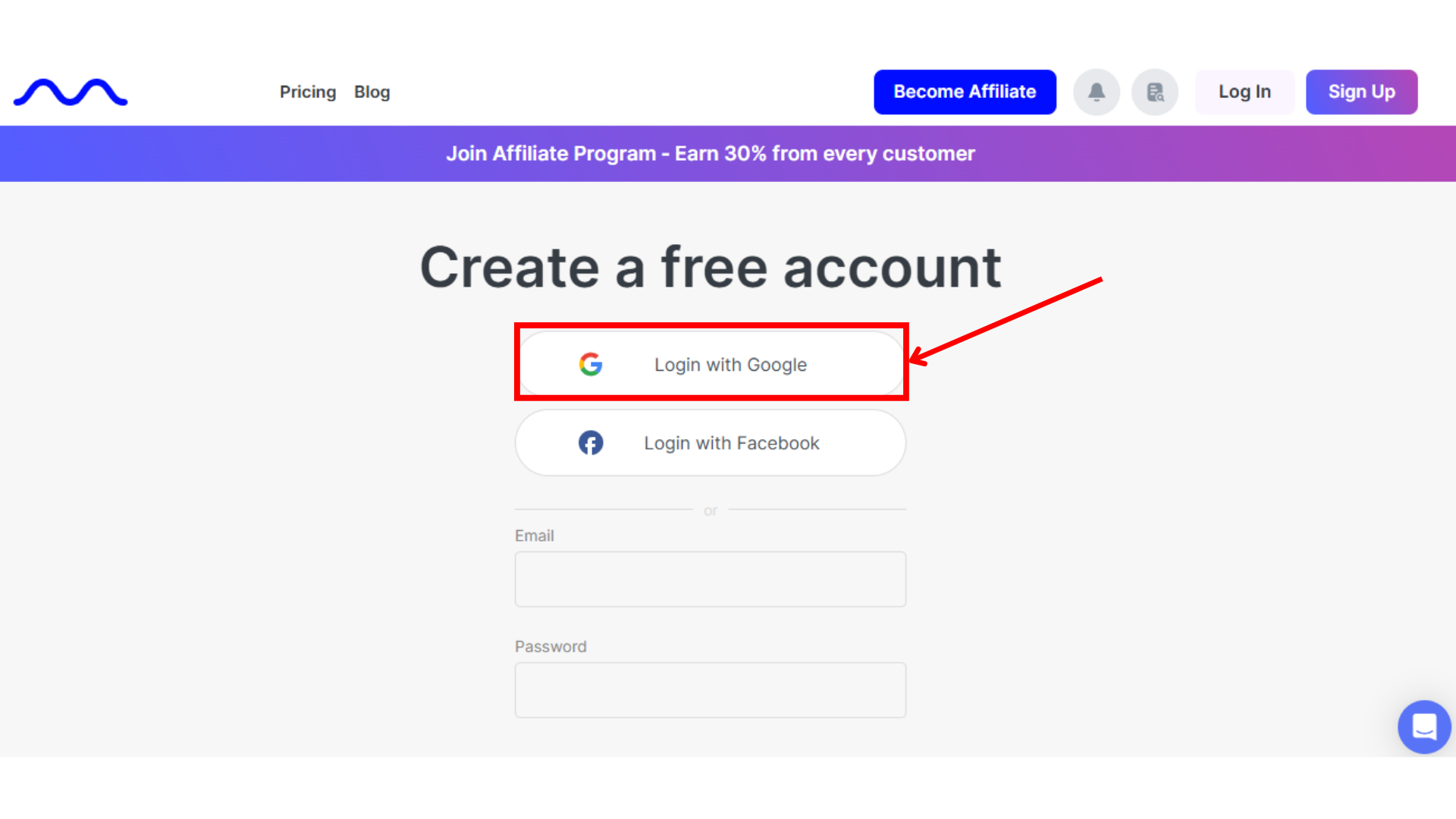
3. Click “Login with Google“
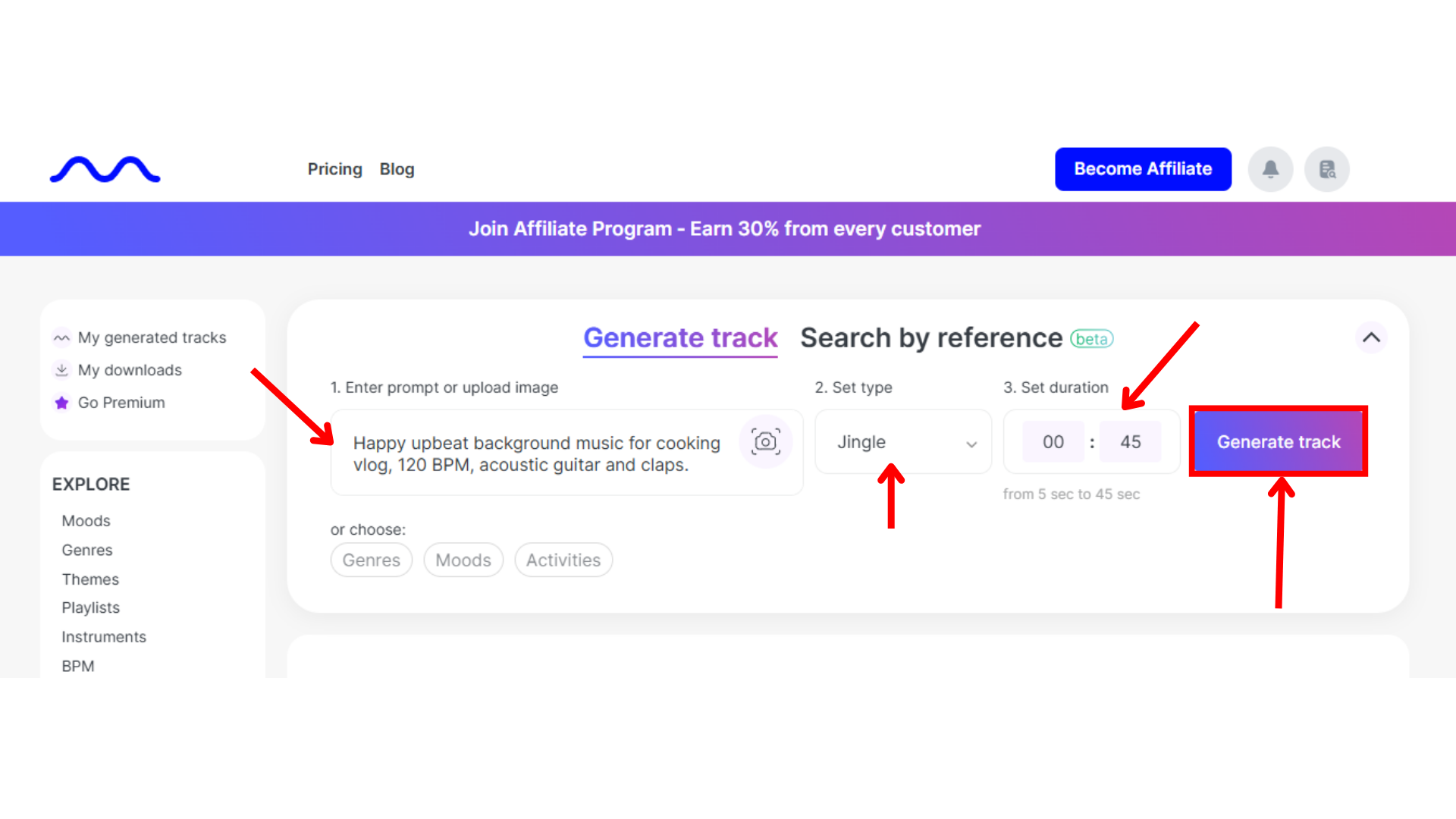
4. Enter prompt: “Happy upbeat background music for cooking vlog, 120 BPM, acoustic guitar and claps.”
5. Set the song Type.
6. Set the song Duration.
7. Click Generate.
8. Download your unique track and add it to your video.
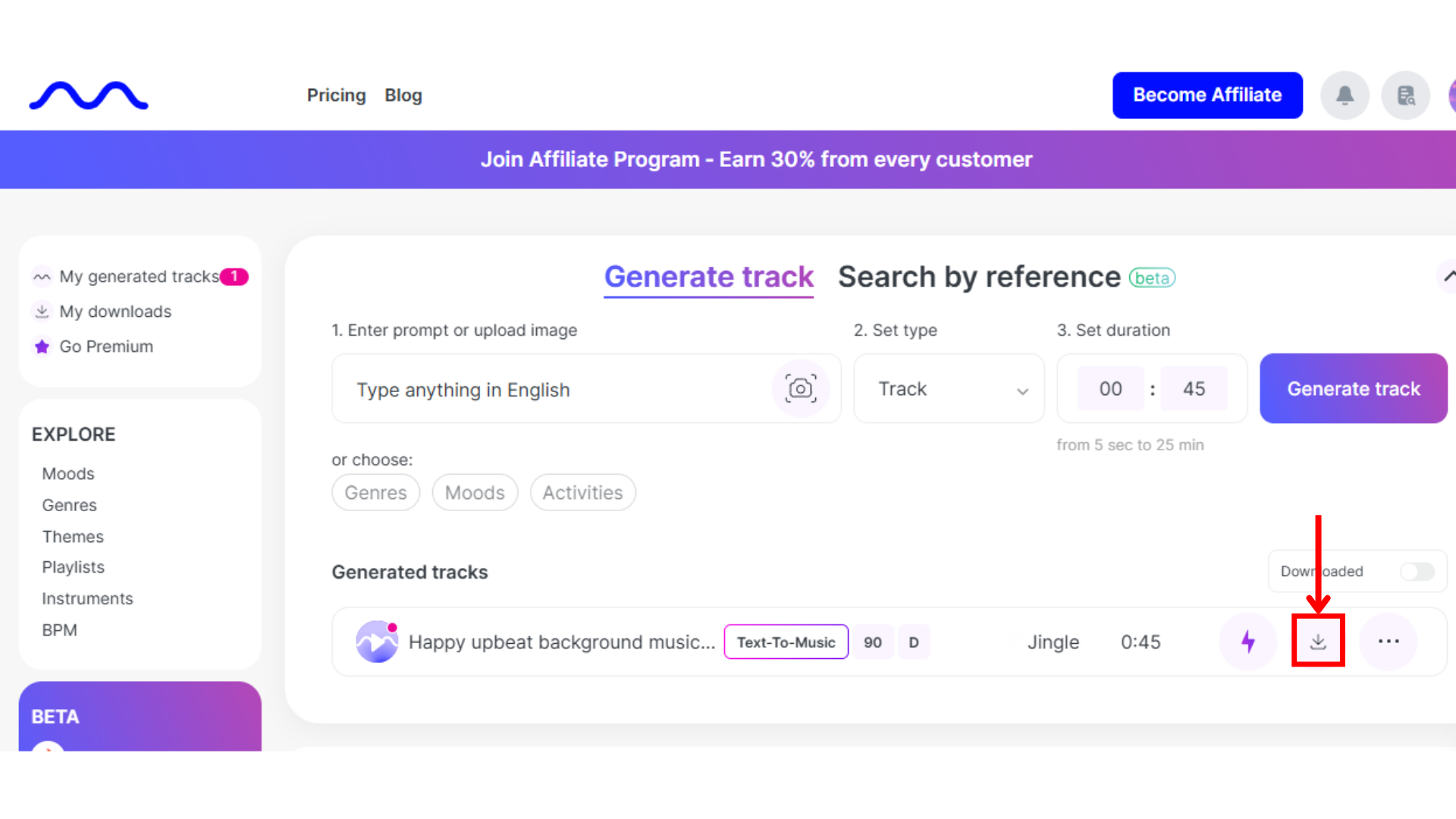
In less than a minute, you’ll have a personalized track that’s completely royalty-free.
Why Choose Mubert?
-
Easy to use – no technical skills required.
-
Customizable – choose moods, genres, instruments, and BPM.
-
Royalty-free – safe for commercial use without copyright issues.
-
Versatile – great for listening, creating, or developing.
Final Thoughts
If you’ve ever struggled to find the perfect soundtrack for your projects, Mubert might be exactly what you need. With its AI-powered music generation, you can create unlimited tracks in seconds.
Whether you use the Mubert Play app for background music, Mubert Render for custom royalty-free downloads, or the Mubert API for development projects, the process is simple and effective.
So next time you’re searching for music, try generating it instead. Now you know how to use Mubert and it might just change the way you create.